


Fast Start
Turnkey Sales Analysis in 3 Days
All you need to do is upload a file containing your data. We'll take care of the rest.
You provide the data—we'll build the analytics in 3 days: we'll set up dashboards with the full methodology for analysis.

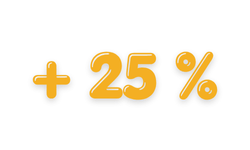
Boost repeat sales with RFM segmentation—identify customer segments and tailor your approach to each one.
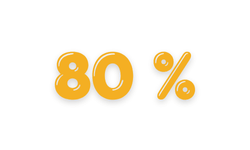
Focus on what generates the most revenue. ABC-XYZ analysis helps identify key products and assess the stability of demand.
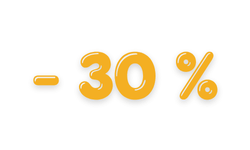
Reduce excess inventory and accelerate inventory turnover with FMR analysis—focus on high-turnover items.
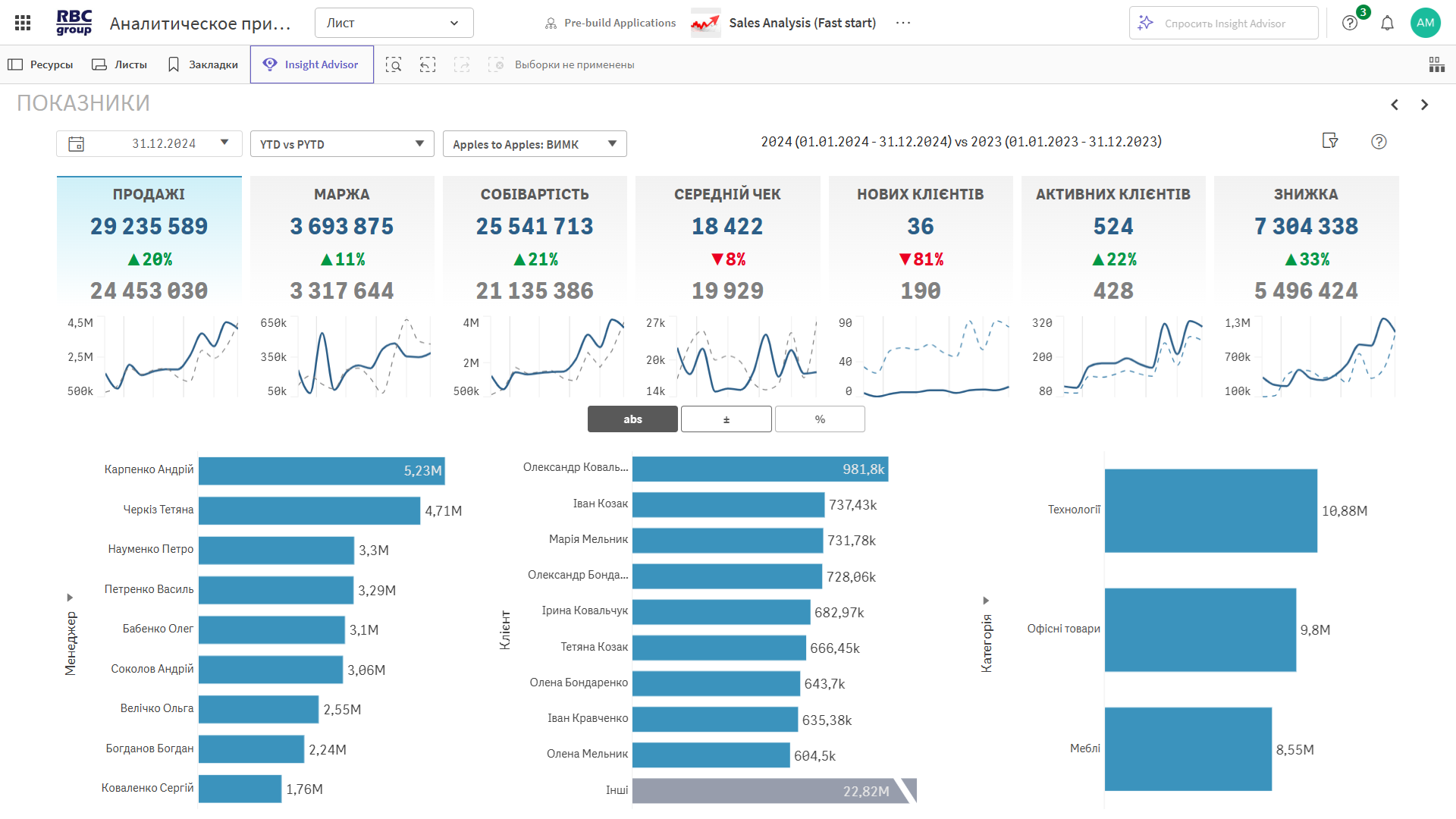
Real-time monitoring of key business metrics. Track sales, margins, orders, customers, and average check, broken down by period and compared to the previous year.
◾ Year-over-year comparison (LFL analysis) — growth or decline in metrics for the same periods.
◾ Sales, margins, and orders—in absolute figures and trends.
◾ Average check and number of customers—reflect efficiency and reach.
◾ Charts—revenue distribution by organization and activity by day of the month.
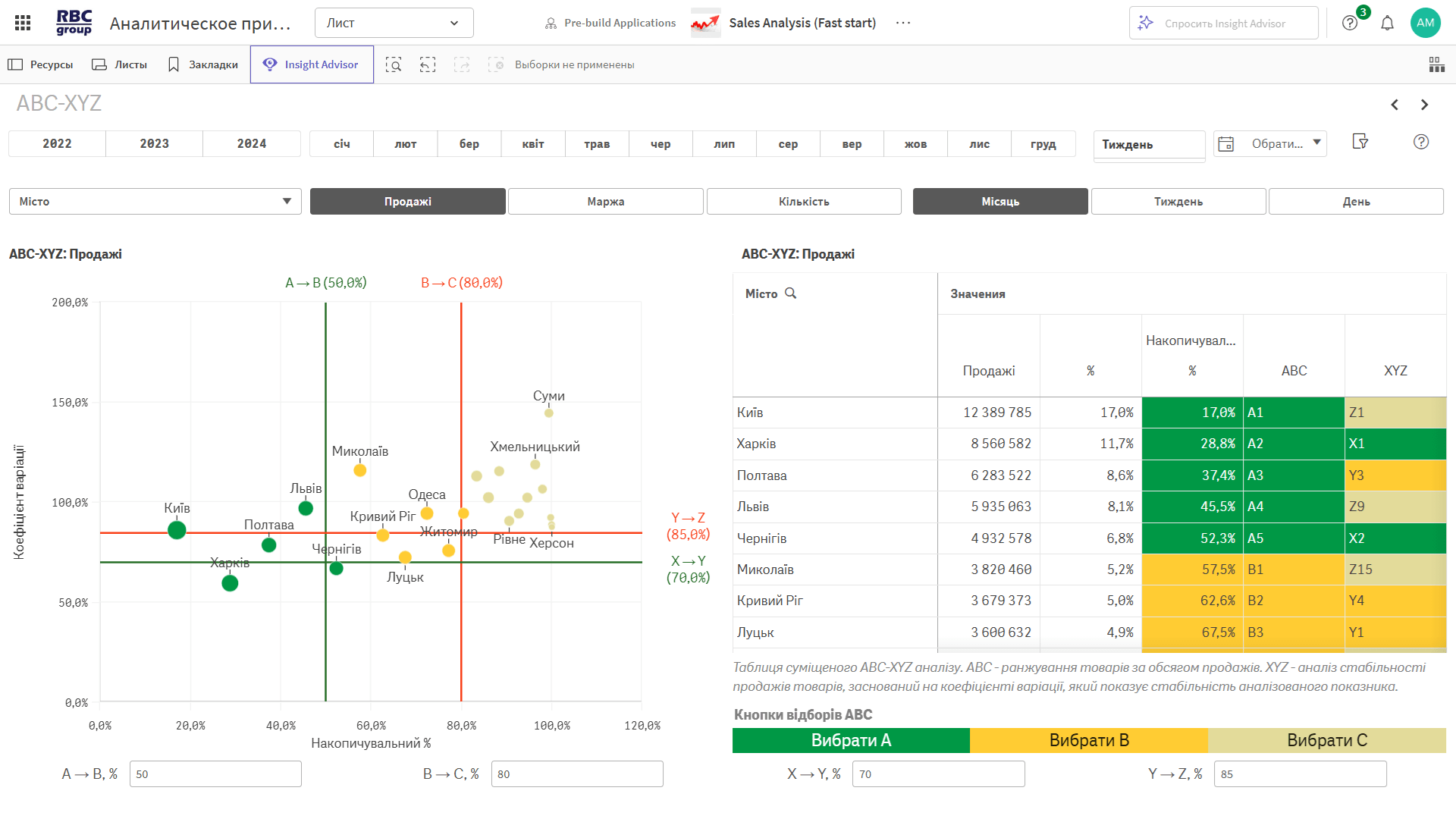
A combined analysis that shows which products or regions contribute the most to revenue and how stable demand is for them.
◾ ABC analysis—ranking by contribution to sales: from key drivers (A) to the least significant (C).
◾ XYZ analysis—assessment of demand stability: from stable (X) to irregular (Z).
◾ ABC/XYZ Matrix — segmentation of the product range or locations along two axes: value and predictability.
◾ Point Visualization — a clear distribution by category on a coordinate plane.
◾ Filters and Selections — analysis by city, region, product, or time period.
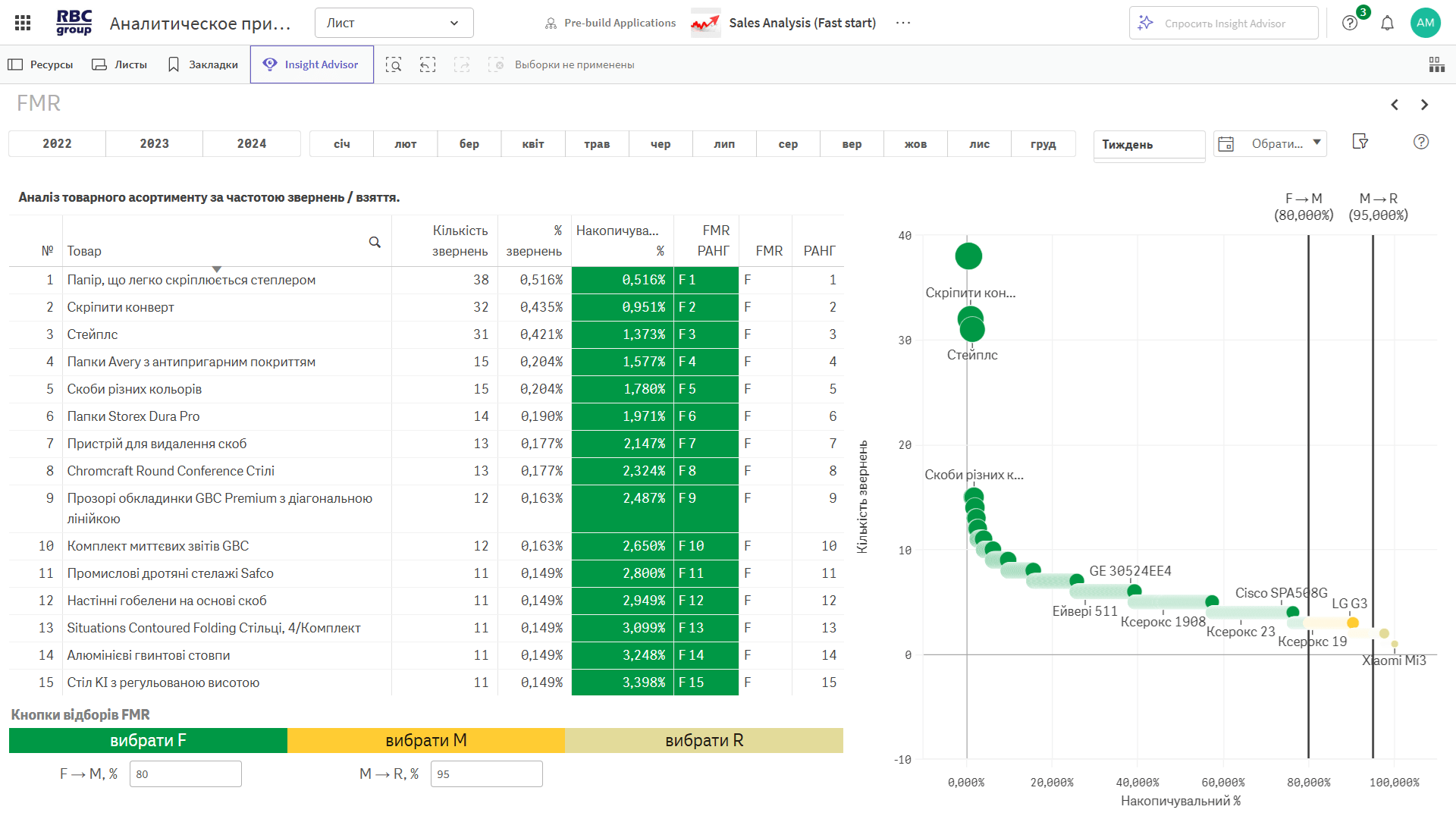
It helps determine which products are in highest demand and which are “dead stock” in the warehouse. FMR ranking is a tool for effective assortment and inventory management.
◾ F-group — products that are purchased most frequently. Key items that drive the majority of sales.
◾ M-group — items with medium purchase frequency. These require attention to pricing and inventory levels.
◾ R-group — items with infrequent sales. These are a source of excess inventory and candidates for phase-out.
◾ Purchase frequency — provides an objective metric of an item’s “vitality.”
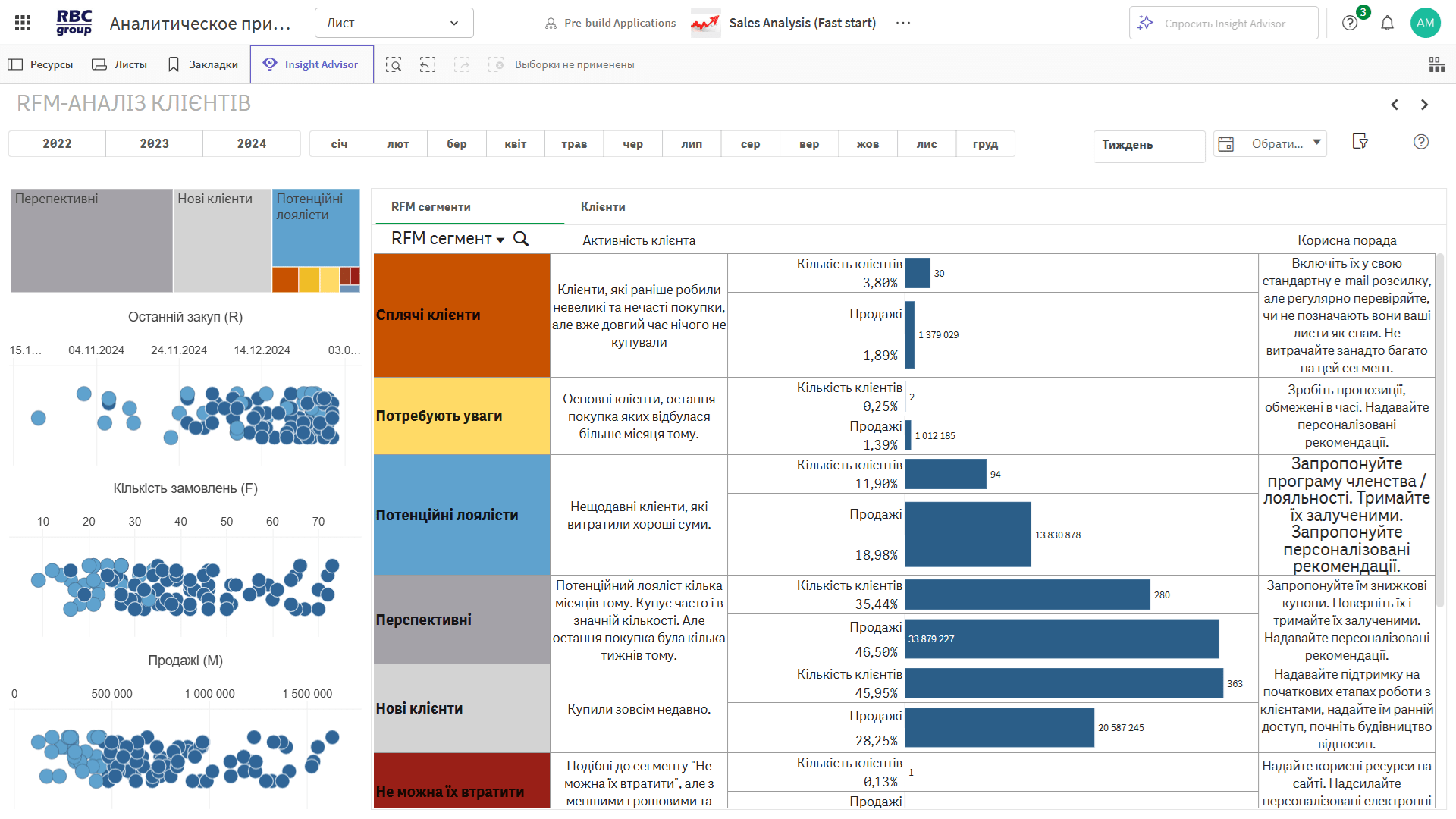
Segment your customers by date of last purchase, order frequency, and revenue—to effectively manage your marketing, customer retention, and customer loyalty.
◾ Dormant customers—haven’t made a purchase in a long time; previously placed infrequent and small orders.
◾ Need attention—important customers who haven’t been active in a while.
◾ Potentially loyal—they’ve recently made a purchase and spent a significant amount.
◾ Promising—they were active buyers in the past, but their last purchase was several weeks ago.
◾ New customers—they’ve recently made their first purchase.
◾ Must not be lost—they were very active but suddenly stopped buying.
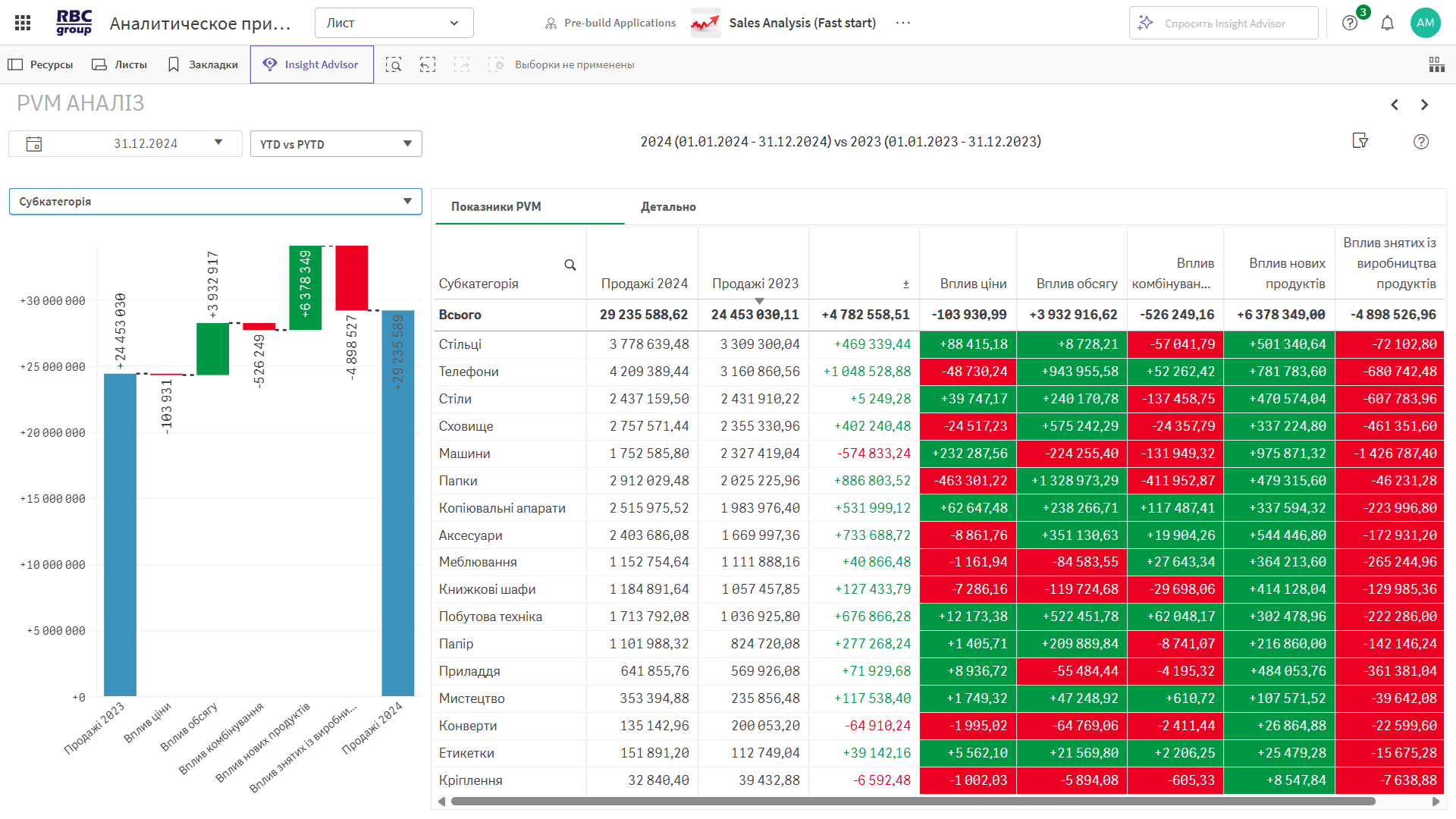
Analyze the reasons behind changes in revenue based on three key factors: price, volume, and product mix. This dashboard shows what drove the increase or decrease in sales—down to the subcategory and product level.
◾ Price Impact—how changes in price affected total revenue.
◾ Volume Impact—how demand (number of units sold) changed.
◾ Product assortment contribution—growth driven by new products or losses from discontinued items.
◾ Combined effect—the impact of simultaneous changes in multiple factors.
◾ Visualization—a waterfall chart and a comparison table broken down by subcategory.
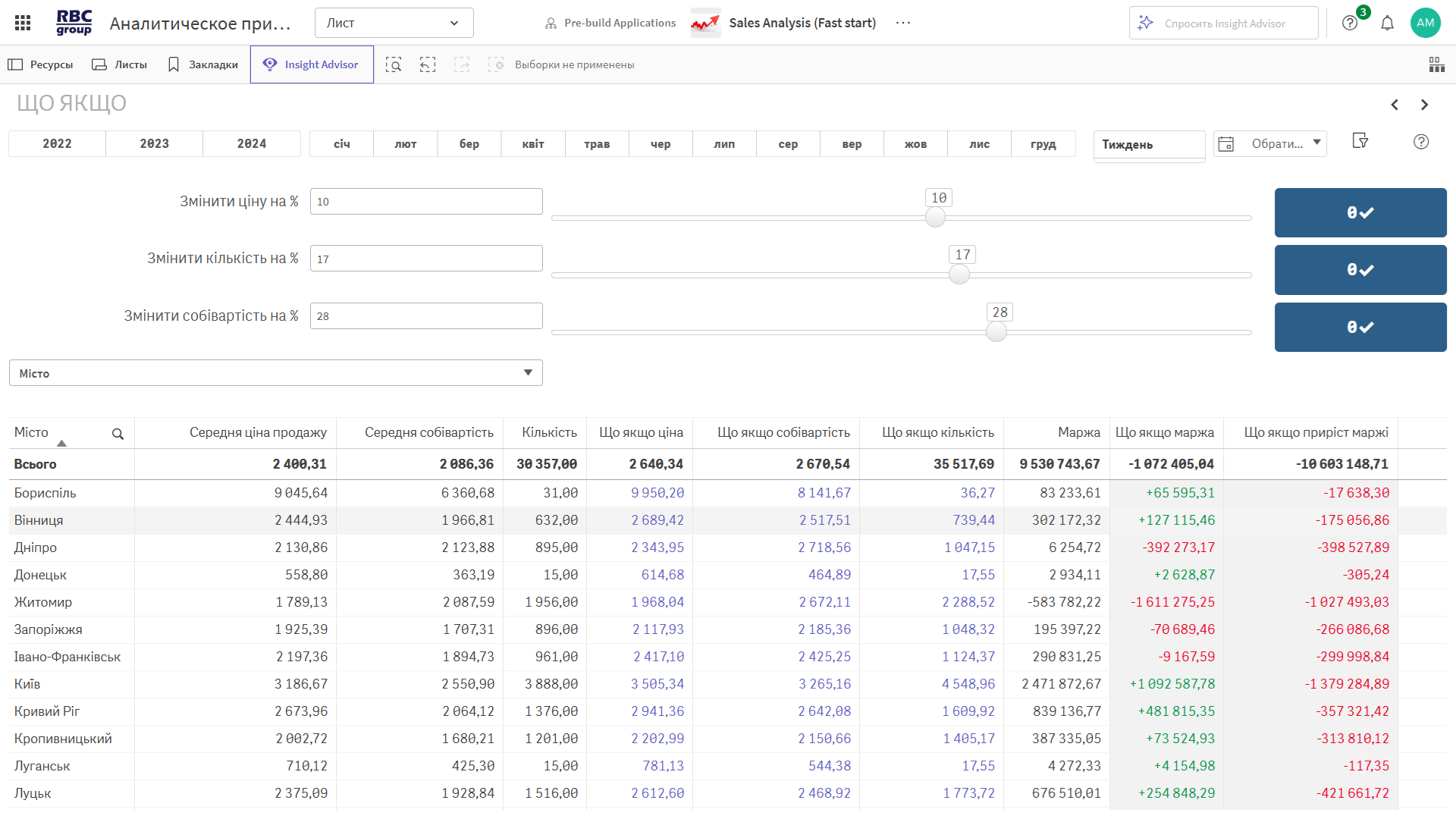
Simulate the impact of prices, volumes, and cost of goods sold on margins.
This tool helps you calculate how changes in selling price, quantity, or cost of goods sold will affect your margin. It’s useful for quick “what-if” analysis: for example, if the cost of goods sold increases by 15% and volume decreases, what will the resulting margin be for a point of sale, a product group, or each individual product?
◾ Simulation parameters—manually specify changes in price, quantity, or cost of goods sold.
◾ Margin forecast—calculation of new margin and profit values under specified conditions.
◾ Impact table—detailed forecast for each product or category.
◾ Visualization of the effect—instant comparison of before and after changes.
Generate reports in seconds—without IT involvement.
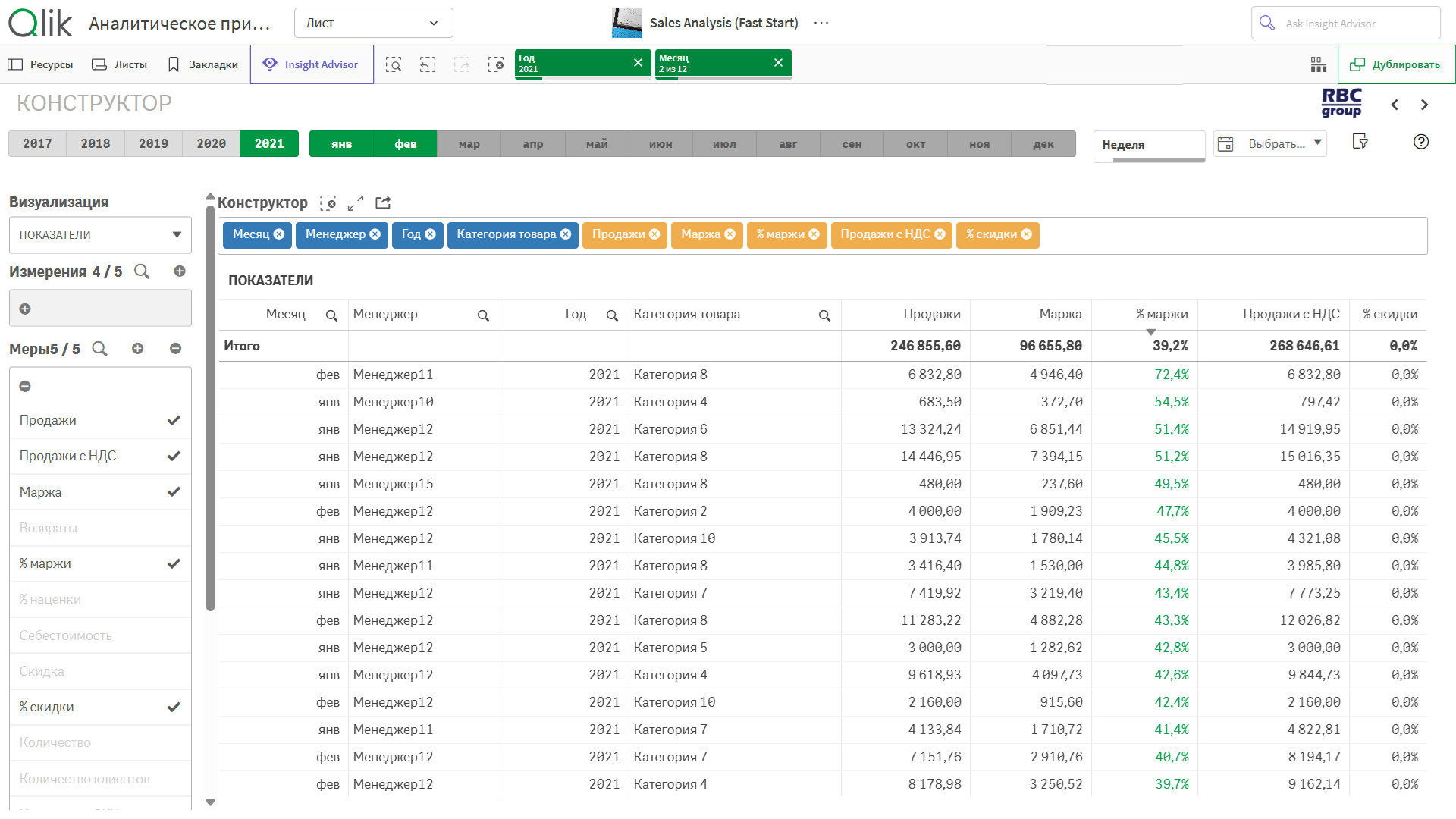
The report builder lets users create the report they need in 15 seconds—as a table, graph, or chart. Simply select the fields and metrics you want—and export the results to Excel. It works with any uploaded data and is ideal for daily analysis.
What you can customize:
◾ Analysis period—any day, month, quarter, or year.
◾ Data structure—grouping by manager, product, customer, category, or region.
◾ Metrics—sales, margin, margin %, cost of goods sold, % of plan achieved, share, trend, growth rate.
 Preparing for unloading
You'll receive a template in Excel format. Export the data from 1C, CRM, or ERP as described in the instructions.
Upload a fileUpload the file to a cloud folder. The system automatically syncs the data at the desired frequency.
Get analyticsA ready-to-use analytics app
in 3 days.
Pricing: 400 euros/month for 10 users.
Preparing for unloadingYou'll receive a template in Excel format. Export the data from 1C, CRM, or ERP as described in the instructions.
Upload a fileUpload the file to a cloud folder. The system automatically syncs the data at the desired frequency.
Get analyticsA ready-to-use analytics app
in 3 days.
Pricing: 400 euros/month for 10 users.
In 30 minutes, you’ll learn how to get a complete picture of your sales, identify factors driving revenue growth and decline, and discover opportunities for growth in your customer base and product lineup.
We’ll show you a ready-to-use analytical solution with minimal implementation requirements—quickly, clearly, and without unnecessary “technical jargon.”
– Fixed-term annual subscription
– Pricing plan — for 10 or more users

Fast Start is a cloud-based business analytics service that offers ready-made templates and dashboards.
You simply upload your data—we set up the analytics and grant you access.
No implementation, no integrations, and no infrastructure costs.
Key steps:
1. You receive an Excel/CSV template with the required fields.
2. You upload the file to a cloud folder.
3. We automatically import the data and activate access to analytics in Qlik Cloud.
The base rate is 400 euros per month. It includes:
🔹 1 analytics application;
🔹 10 users with access.
The minimum term is 12 months.
We use the Qlik Cloud BI platform with enterprise-grade security.
All data is transmitted over secure channels, and access is strictly restricted.
We enter into NDAs and comply with security requirements.
You can log in via a browser from any device—a laptop, smartphone, or tablet.
Each user has their own username, password, and access rights. It's simple and secure.


