


Microsoft Power BI Self-Service Analytics Platform
Connect data from multiple sources, build interactive reports, and monitor key business metrics. Microsoft Power BI helps teams explore data and share insights across the organization to support informed decisions.
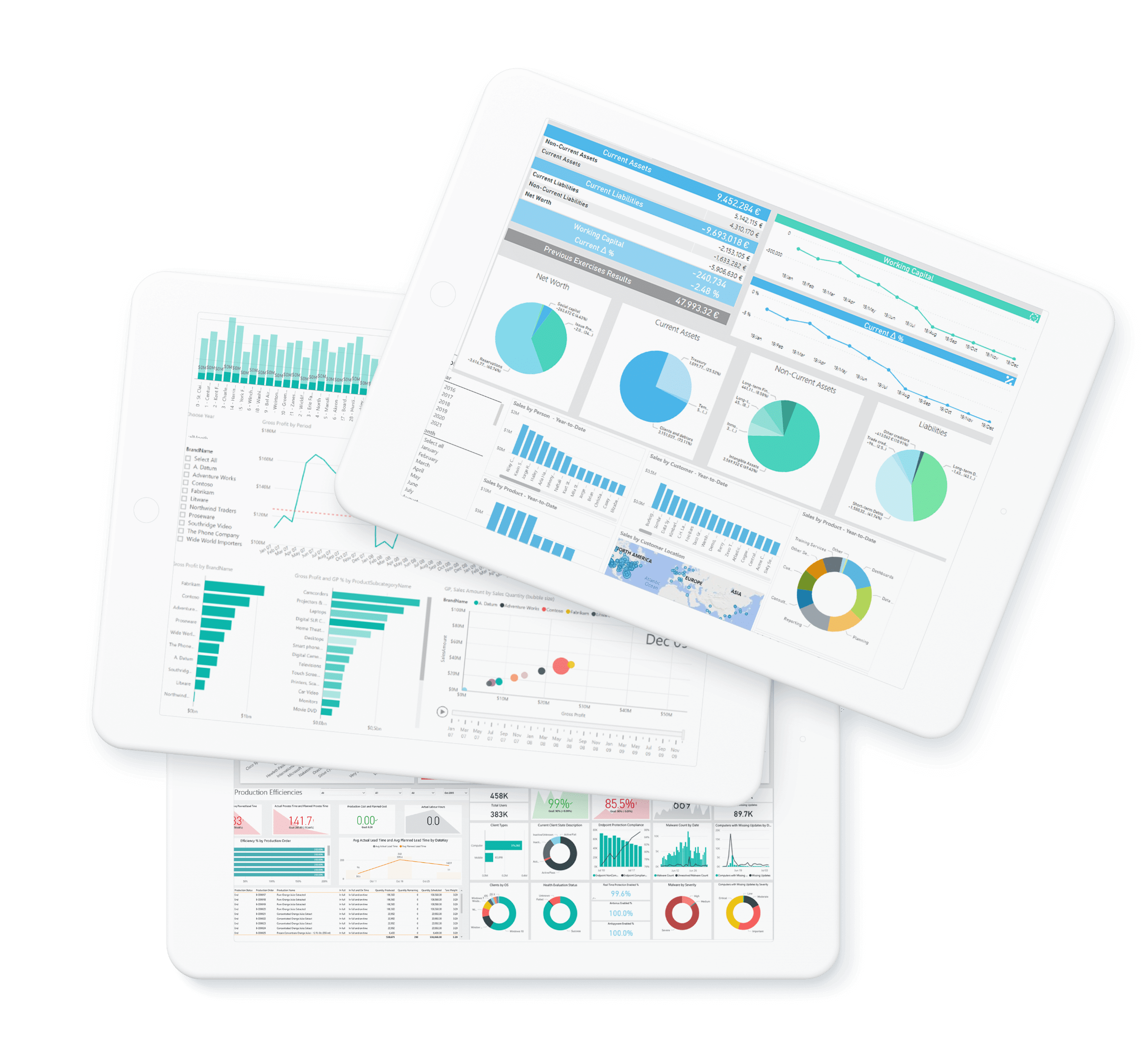

- Explore business data through interactive reports, with analytics that can scale from individual users and teams to the entire organization.
- Connect to a wide range of data sources, create visualizations, and share insights with colleagues using Power BI’s integration with Excel and other Microsoft tools.

Connect to databases, files, cloud services, and other supported data sources

Combine data from multiple sources into a shared semantic model

Publish and share reports in the Power BI service, and access them through browsers and mobile apps

Manage access to reports and data based on user roles and responsibilities

Configure scheduled data refresh to keep reports up to date

Set threshold-based alerts for supported dashboard tiles

Explore business metrics through interactive charts, tables, and KPI visuals

Create custom measures and calculations using DAX
 Agrichain
 AgriChain is a software company that develops enterprise-class ERP solutions for the AgTech market
 Agrotrade
 The AGROTREYD Group is a vertically integrated agro-industrial holding company with a complete production cycle (production, processing, storage, and trade of agricultural products)
 RBC Group's Partnership with "Asino"
 Asino in Ukraine is a modern pharmaceutical company specializing in the development and manufacture of high-tech medicines. Today, the company ranks 8th among Ukrainian pharmaceutical manufacturers.
RBC Group's Partnership with "Asino" Asino in Ukraine is a modern pharmaceutical company specializing in the development and manufacture of high-tech medicines. Today, the company ranks 8th among Ukrainian pharmaceutical manufacturers.
 “Romensky Plant ‘Traktorozapchast’”
 PJSC “Romensky Plant ‘Traktorozapchast’” is a recognized leader in the production of spare parts for automotive and tractor equipment. The plant operates its own mechanical assembly, foundry, forging, and tooling facilities and manufactures over 100 types of products for wheeled tractors, combine harvesters, trucks, and passenger cars, as well as consumer goods.
 RBC Group's Partnership with 24Print
 24print is a printing company that handles orders of any size and print run, delivering exceptional service and outstanding quality
RBC Group's Partnership with 24Print 24print is a printing company that handles orders of any size and print run, delivering exceptional service and outstanding quality
Drawing on experience across industries, RBC Group develops analytics solutions for common business challenges. Explore the reporting scenarios and performance metrics relevant to your industry.






Microsoft Power BI for business analytics
Microsoft Power BI is a business intelligence platform for connecting, preparing, modeling, and visualizing data. It helps organizations bring information from different systems into interactive reports, track performance, and share insights with the people who need them.
Power BI works with Microsoft tools and a wide range of other data sources. As part of Microsoft Fabric, it can also support analytics within a broader environment for data integration, engineering, and management.
Power BI components and deployment options
Power BI includes tools for developing reports, sharing analytics in the cloud, accessing information on mobile devices, and embedding reports into applications. The right combination depends on your data environment, security requirements, and reporting needs.
Power BI Desktop
Power BI Desktop is a free Windows application for preparing data, building semantic models, and creating interactive reports.
Power Query provides tools for connecting to data sources and transforming data. DAX enables report developers to create measures and calculations that reflect business requirements.
Reports can be published to the Power BI service for distribution and collaboration. Sharing and viewing requirements depend on the licenses and capacity used by the organization.
Power BI service
The Power BI service is the cloud environment for publishing, sharing, and managing reports and dashboards.
Teams can organize content in workspaces, distribute reports through Power BI apps, configure data refresh, and manage access. Users can explore reports through a browser and access shared analytics according to their permissions.
Access to on-premises data may require an on-premises data gateway, depending on the connection method.
Power BI Report Server
Power BI Report Server provides an on-premises environment for hosting Power BI reports and paginated reports. Users access content through a web portal in a browser.
It is an option for organizations that need to keep reporting infrastructure within their own environment. Its capabilities and release schedule differ from those of the Power BI service.
Report Server requires the compatible version of Power BI Desktop for report development. Licensing eligibility should be checked against current Microsoft terms.
Power BI mobile apps
Power BI mobile apps for iOS and Android let users view and interact with reports and dashboards while away from their desks.
Users can access shared content, explore metrics, and receive supported notifications. Reports can be designed with mobile layouts to make them easier to use on smaller screens.
Supported, previously cached content may be available offline. Availability depends on the content type, connection mode, and application settings. Offline content does not provide live data updates.
Power BI Embedded
Power BI Embedded allows developers to integrate interactive analytics into applications and customer portals.
It enables users to access reports within the application they already use. Implementation requires an appropriate embedding architecture, authentication, access controls, and licensing or capacity.
Seven reasons to use Power BI
- Bring business data together. Connect information from multiple systems and build a consistent analytical model.
- Create interactive reports. Explore results by period, product, customer, location, or other business dimensions.
- Reduce repetitive reporting tasks. Configure data refresh and distribute reports through managed workspaces and apps.
- Use consistent business metrics. Define shared calculations so teams can work with the same measures and reporting logic.
- Control access to information. Manage permissions and apply row-level security where required.
- Work within the Microsoft ecosystem. Use Power BI alongside Excel, Teams, and other Microsoft tools.
- Support a range of analytics needs. Develop reporting for individual teams and expand it across the organization with appropriate governance and capacity.
Implementation time and data freshness depend on source systems, data quality, connection methods, and reporting requirements.
Who is Power BI for?
Power BI supports business users, analysts, report developers, and IT teams.
Business users can explore prepared reports and monitor performance. Analysts and developers can transform data, build models, and create calculations. IT teams can manage deployment, access, and the supporting infrastructure.
Smaller organizations can start with focused reporting needs and expand over time. Larger organizations can use Power BI across departments, supported by shared models, access controls, and reporting standards.
Power BI can support analytics in finance, sales, operations, HR, and other business functions across a wide range of industries.


